Beacon Keep showing up in the feed.
Paste your website. Beacon builds your brand kit, suggests what to post this week and makes it: videos, carousels, posts and stories you can edit, download and post.
From website to feed in four steps
The Canva that does the work for you: Beacon does the blank-page part, you keep the final say.
-
01 Paste
Start withyour website
That is the whole setup. Beacon reads your site for your logo, colours, fonts, offer and the way you talk.
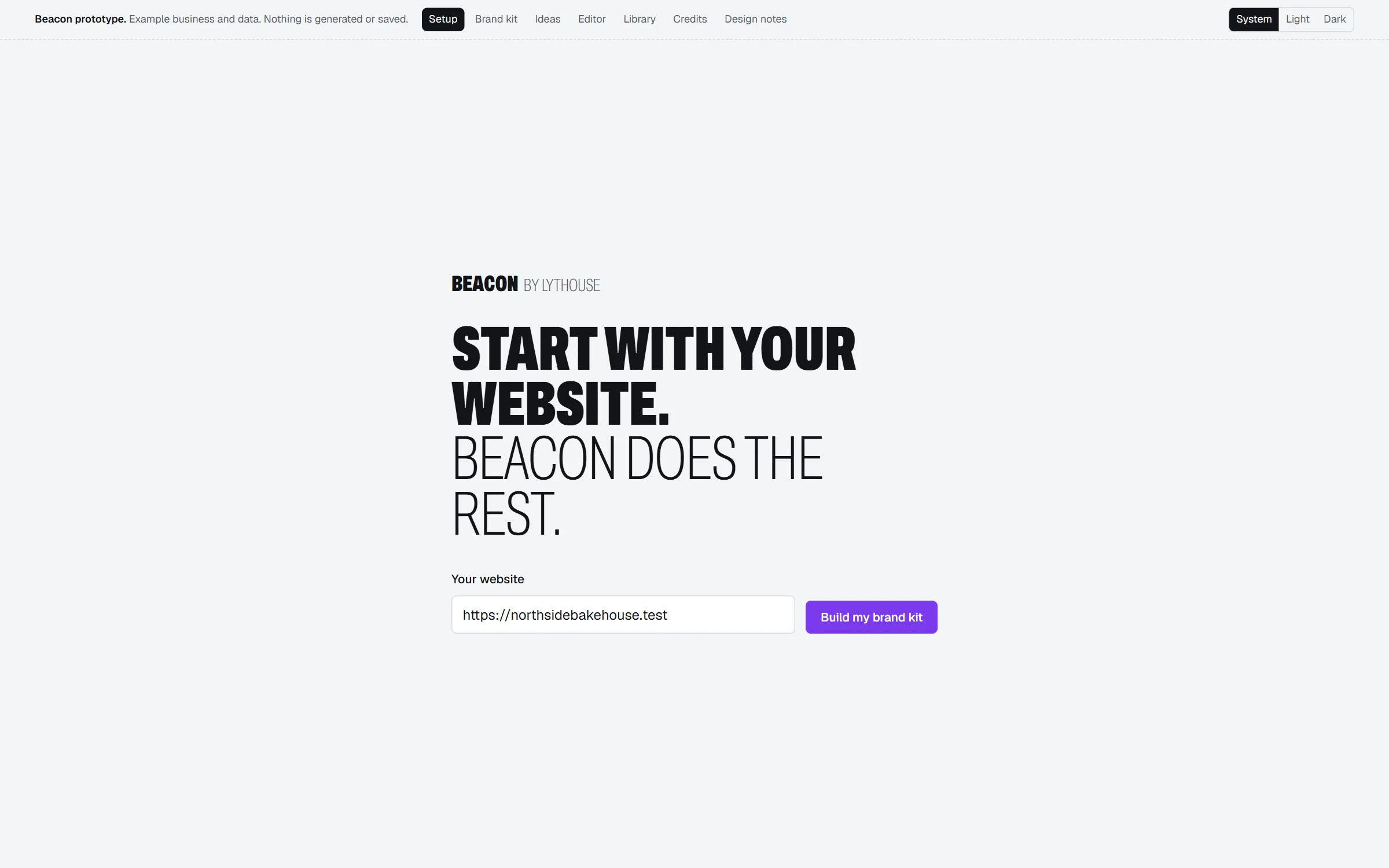
Preview. Beacon is in development; screens will change. -
02 Check
A brand kityou can fix in a minute
Colours, fonts, voice, products and prices on one page. Correct anything Beacon got wrong, and lock what teammates may not change.
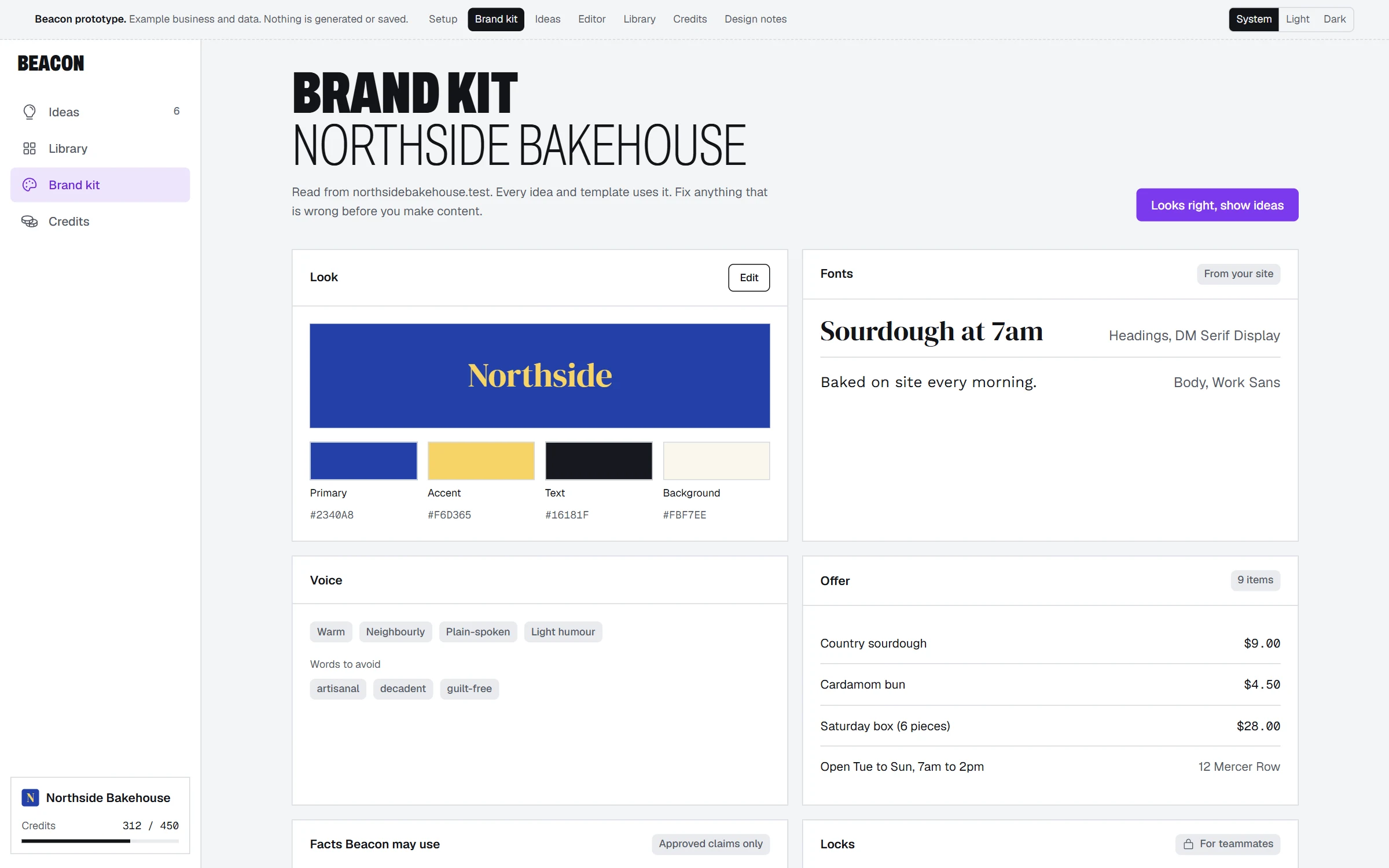
Preview. Beacon is in development; screens will change. -
03 Pick
Ideasfor this week
A feed of ideas from your offer, your photos and what is coming up, video first. Keep the ones you like, skip the rest.
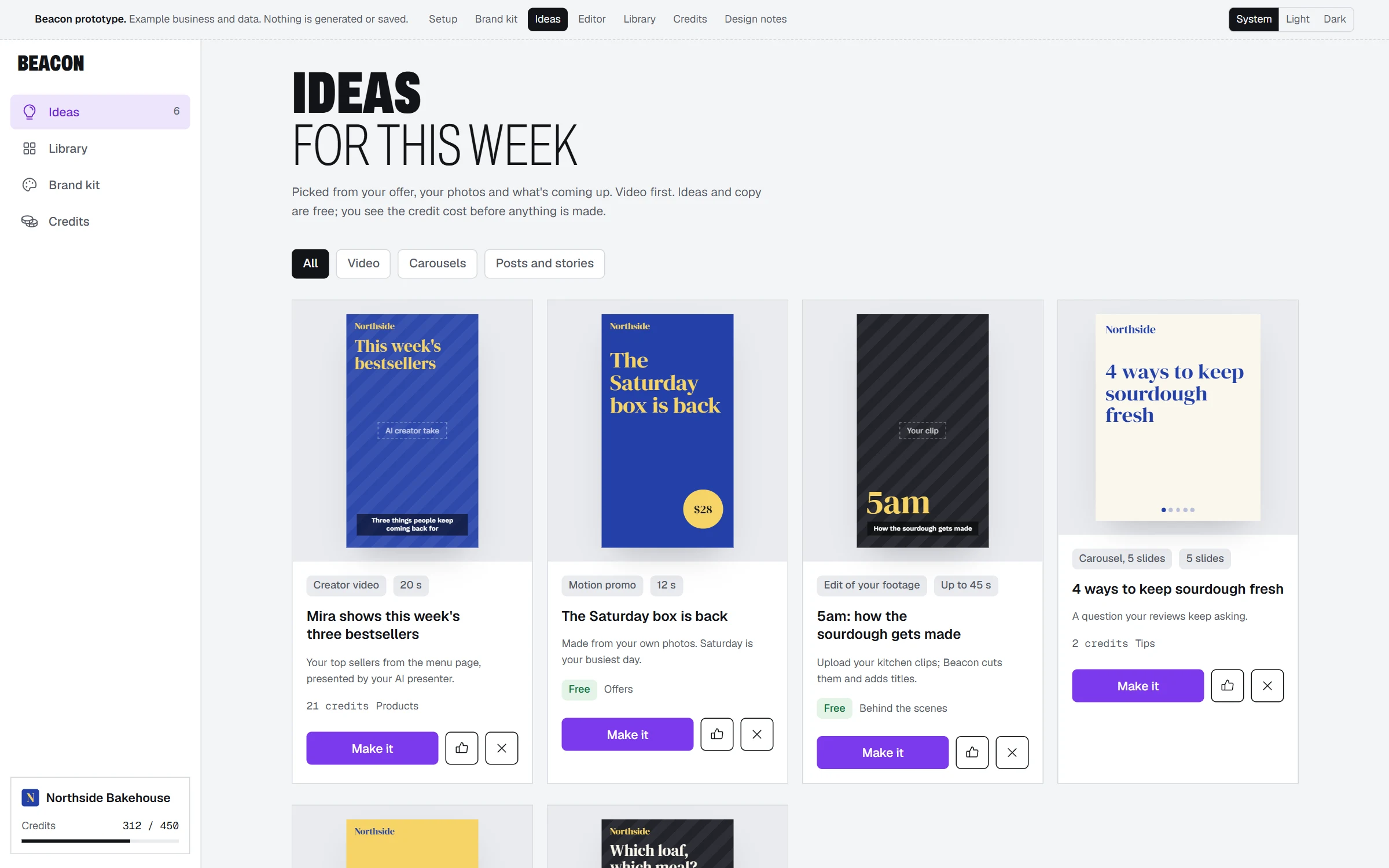
Preview. Beacon is in development; screens will change. -
04 Make
Every layerstays editable
Beacon makes the idea you pick as a layered design: text, captions, prices and timing you can change before you download.
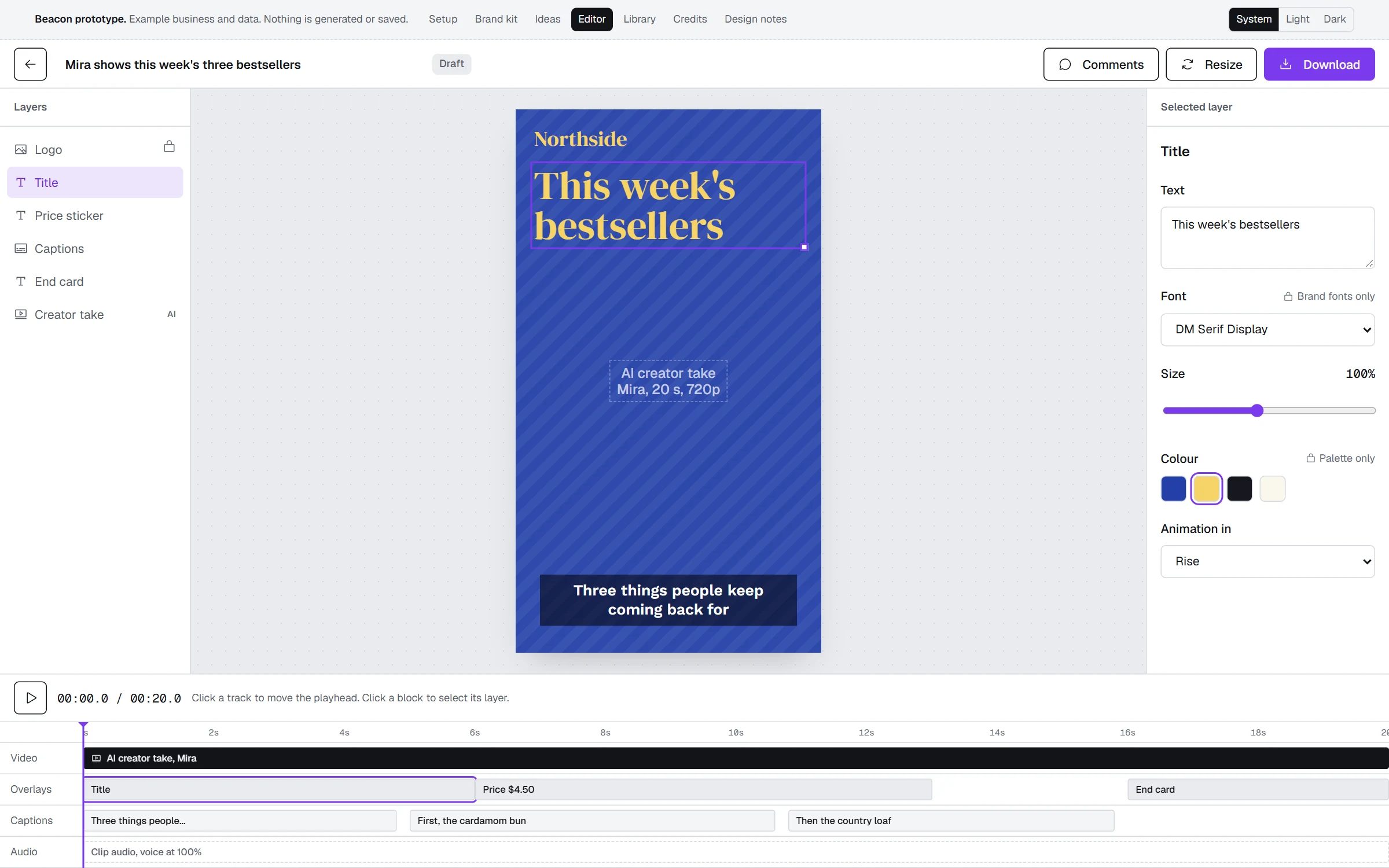
Preview. Beacon is in development; screens will change.


Video first Then everything around it
- AI creator videos
- Motion promos
- Edits of your own footage
- Carousels
- Posts
- Stories
You stay in charge
- You post it
- Beacon never publishes for you. Download what you made and post it where and when you want.
- On brand, every time
- Fonts and colours come from your brand kit, and you can lock them so the whole team stays on brand.
- No surprise costs
- Beacon shows what something will cost before it generates any media.